
How to set medication reminders on iPhone and Android
On iPhone, the Health app has a Medications section (Browse, then Medications) where you add each medicine and its schedule, and your phone reminds you and lets you log it. On Android there's no medication section built into every phone, so most people use a labelled repeating alarm in the Clock app, a repeating reminder from the voice assistant, or a reminder app. Enter only the schedule on your label or from your pharmacist.
Why is this harder than it sounds?
Phones are good at reminding and bad at noticing that you ignored the reminder. Alarms get snoozed, notifications pile up, and after a few weeks they become background noise. It also helps to know what each tool does, because the menus differ between phone makers and software versions.
On iPhone (Apple Health)
Open the Health app, tap Browse, then Medications, and add a medicine. You can set when you take it, and your iPhone (and Apple Watch, if you have one) will remind you and let you mark it as taken or skipped. Menus can change between iOS versions, so check Apple's own help pages if yours looks different.
On Android
Options that work on most Android phones:
- Clock app: create an alarm, set it to repeat on the right days, and label it with what to take.
- Voice assistant: ask it to remind you every day at a set time.
- Your phone maker's health app, if it has a medicines feature.
- A dedicated reminder app, if you want logging or family options.
What should you do?
Check the schedule first
Use the label or ask your pharmacist. Don't guess timings.
Set one reminder per time of day
Group medicines taken together so you get one prompt, not five.
Put the medicine where you'll see it
Next to something you use at that time, safely out of children's reach.
Log it
Mark it taken in the app, or tick a printed chart, so you can tell later.
Update reminders when anything changes
Same day, every time.
What tends not to work
Snoozing and forgetting. If you snooze, take it when it goes off again or set a second reminder.
Using reminders for doses you haven't confirmed with a pharmacist.
Taking a double dose to make up for a missed one.
Common questions
Does iPhone have a medication reminder?
Yes. The Health app has a Medications section where you add medicines and schedules, and it reminds you and lets you log them.
Does Android have a built-in medication reminder?
Not on every phone. A repeating labelled alarm, a voice-assistant reminder or a reminder app all work.
Where Nura fits
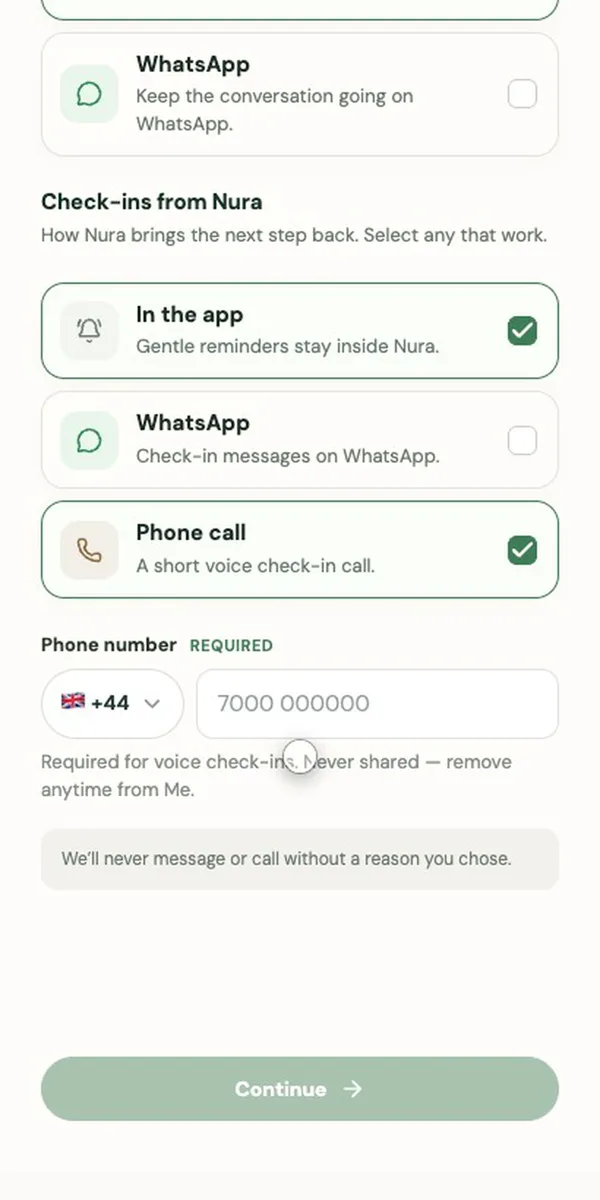
If phone reminders have become background noise, Nura can check in differently. Tell it what you want reminding about and when, and it sets up a repeating check-in, daily, on weekdays or weekly, in the app, on WhatsApp or with a short phone call, and asks whether you've done it. Nura also works with Apple Health and Health Connect for sleep and steps if you choose, but it doesn't read your medication list from them.
Sources
General information, not medical advice. Nura does not diagnose, prescribe or replace your clinician. In an emergency call 999 (UK) or 911 (US); in the UK, NHS 111 can help if you need medical help but it isn't an emergency.