
Medication reminder apps: how to choose one that works
Choose a medication reminder app by how you actually live, not by its feature list. Look for reminders that reach you where you'll notice them (notification, message or call), that ask whether you've taken it rather than just pinging, an easy way to see what you've missed, clear privacy terms, and family options if someone helps you. Then check your pharmacist is happy with the schedule you enter.
Why is this harder than it sounds?
Most people stop using reminder apps within weeks. Notifications get swiped away on autopilot, the app needs opening to log anything, and the schedule falls out of date when a medicine changes. The NHS mentions smartphone apps as one type of medicine reminder alongside pill organisers and automatic dispensers, and suggests asking a pharmacist which kind would help.
What to look for in a medication reminder app
- How it reminds you: a notification is easy to ignore; a message or a call is harder to miss.
- Whether it asks: "Have you taken it?" with a one-tap answer, so you know later.
- Flexible schedules: daily, weekdays, weekly, and easy to change.
- A record: what was taken and missed, which helps at a pharmacy or GP review.
- Family options: whether a carer or relative can be kept in the loop, with your say-so.
- Privacy: what's stored, whether it's sold or shared, and how to delete it.
- Cost: free, one-off, or a subscription.
- No dose advice: an app should remind you of what you've been prescribed, not tell you what to take.
Is a free medication reminder app enough?
For one or two medicines at fixed times, the reminders built into your phone or a free app may be all you need. Paid apps tend to add things like calls, family sharing or a history. Whichever you use, the schedule should match the label and what your pharmacist or prescriber told you.
What should you do?
Write down what you take and when
From the labels or your repeat prescription list. If you're unsure of the timing, ask your pharmacist first.
Decide how you notice things
If you ignore notifications, choose something that messages or calls.
Try one app for two weeks
Set it up fully, then see whether you're actually acting on the reminders.
Keep it up to date
Change the schedule the same day a medicine changes.
Bring the record to reviews
Missed doses are useful information for your pharmacist or GP.
What tends not to work
Apps that suggest doses or interactions you haven't checked with a pharmacist.
Relying on a notification you've learnt to swipe away.
Doubling up after a missed dose. The NHS says it's dangerous to take a double dose later to make up for a missed one.
Common questions
What is the best app for medication reminders?
The one you'll actually respond to. If you swipe notifications away, choose an app that messages or calls and asks whether you've taken it.
Can a pharmacist help with reminders?
Yes. The NHS suggests asking your pharmacist about medicine reminders such as dosette boxes, which aren't always free or suitable for every medicine.
Where Nura fits
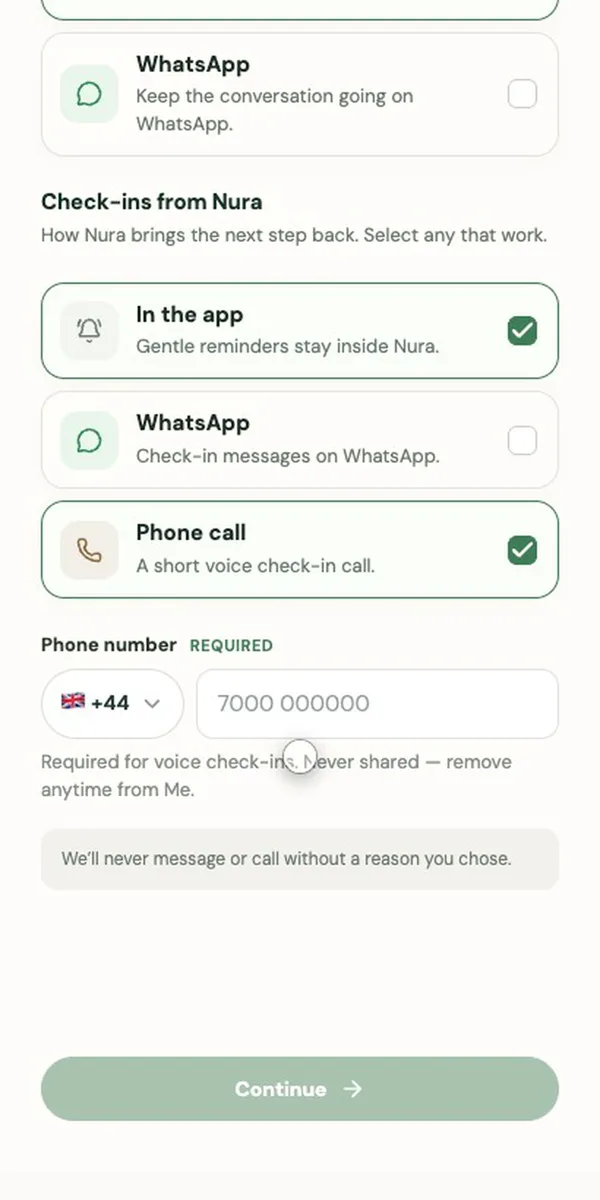
Nura isn't a pill-tracking app, but it can be the reminder. Tell it something like "remind me every morning to take my tablets" and it sets up a repeating check-in, daily, on weekdays or weekly, in the app, on WhatsApp or with a short call. It asks whether you've taken it and notes a missed one so it's there next time. It doesn't give dose advice; if a dose was missed, it points you to the leaflet or your pharmacist.
Sources
General information, not medical advice. Nura does not diagnose, prescribe or replace your clinician. In an emergency call 999 (UK) or 911 (US); in the UK, NHS 111 can help if you need medical help but it isn't an emergency.